
Sale




 ACASIS USB-C to Dual HDMI Moni...
Products
-
 Original price was: ₹14,999.00.₹5,999.00Current price is: ₹5,999.00.
 -
 Original price was: ₹69,999.00.₹26,999.00Current price is: ₹26,999.00.
 -
 Original price was: ₹19,999.00.₹9,999.00Current price is: ₹9,999.00.
 -
 Original price was: ₹34,999.00.₹21,999.00Current price is: ₹21,999.00.
 -
 Original price was: ₹34,999.00.₹17,999.00Current price is: ₹17,999.00.
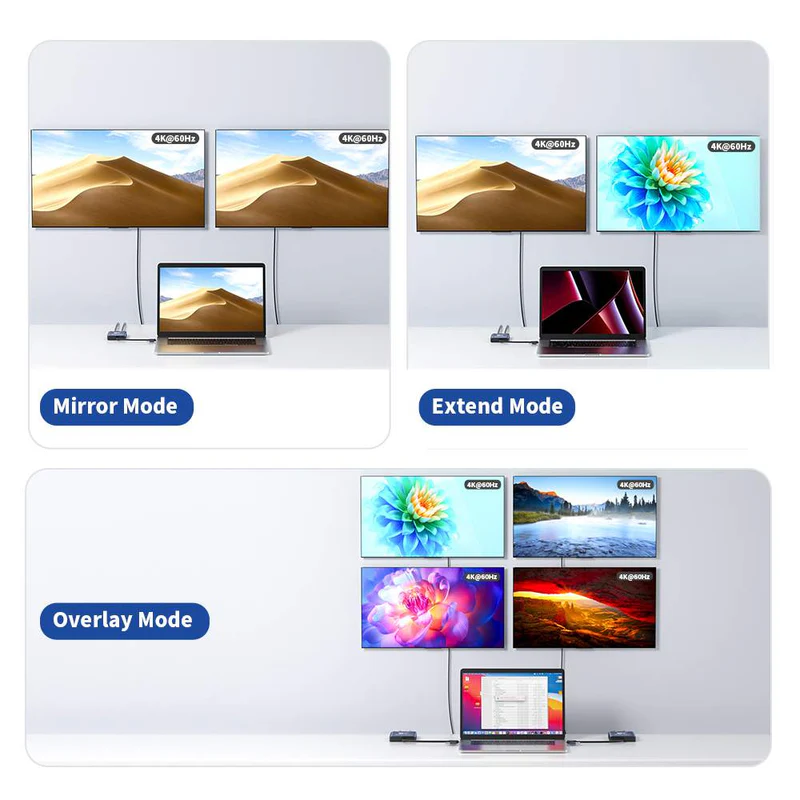
 The Acasis DisplayLink HDMI Adapter solves MST expansion compatibility issues by enabling dual 4K@60Hz displays, featuring 3 USB-A ports, 100W PD charging, and USB-C/A connectivity for seamless multi-screen setup. It’s an ideal solution for those who use multiple web and office apps simultaneously.
 Designed for seamless compatibility, this DisplayLink HDMI Adapter adds two extended monitors even on Macs with M1, M2, or M3 chips, which natively only support one external display, solving the limitation of external displays. With dual-display capability, you can boost productivity by up to 35%.
 The DisplayLink HDMI Adapter extended display can connect your mouse, keyboard, and flash drives effortlessly with 3x USB-A ports (480Mbps speed), making your work more convenient.
Note: The USB-A port of this device is not suitable for transferring large files.
 One easy, affordable solution vs costly hassle of multiple adapters and cables. This DisplayLink HDMI Adapter adds two crystal-clear 4K monitors (up to 60Hz) via a single USB-C/USB-A port.
 USB to Dual 4K 60Hz HDMI Adapter Keep your MacBook Air/Pro or Dell/HP laptop powered up while working. The 100W USB-C PD port delivers high-speed charging, so you won’t drain your battery during long sessions.
 Aluminum shell design provides enhanced cooling performance, ensuring stable operation and a smooth multi-screen experience during extended use sessions.
 Just 8.5 x 5.9 x 1.6 CM. Palm-sized for easy carry.
 Uses the DL-6950 chipset and DisplayLink drivers to overcome display limitations in macOS and Windows. You need to download and install the driver from the DisplayLink website before using this product. On Windows, drivers typically install automatically via Windows Update or can be installed manually. On macOS, DisplayLink Manager Application installation is required.
 For ordinary users
 For Programmers
 For Accountants
26 reviews for ACASIS USB-C to Dual HDMI Monitor DisplayLink Adapter, 4K@60Hz, 2 HDMI & 3 USB-A Ports, 100W PD Charging, for Mac M1/M2/M3/Windows
Related products
Sale
New
ACASIS 10-in-1 Dock with 10Gbps Dual SSD Enclosure for M4/M4PRO Mac Mini, 4xUSB A 10Gbps, 1xHDMI 4k@60Hz, SD/TF3.0, PD30W, Software RAID | Up to 16TB
Original price was: ₹19,999.00.₹9,999.00Current price is: ₹9,999.00. Add to cartSale
New
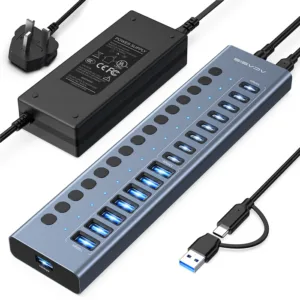
ACASIS 16 Ports USB 3.2 Hub (8 USB-A 3.2 Ports+8 USB-C 3.2 Ports), Aluminum USB Hub Powered with 96W Power Adapter, USB Hub for PC/Laptop
Original price was: ₹19,999.00.₹10,999.00Current price is: ₹10,999.00. Add to cartSale
New
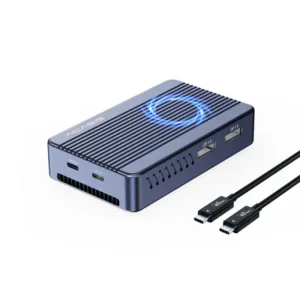
ACASIS Mac Mini Dock Dual Monitor with 40Gbps M.2 NVMe SSD Enclosure, 2*DP1.4, 2*USBA 3.1, 1 USBC 10Gbps, for Thunderbolt 4/USB4/3.2/3.1/3.0, M1/M2
Original price was: ₹29,999.00.₹12,999.00Current price is: ₹12,999.00. Add to cartSale
New
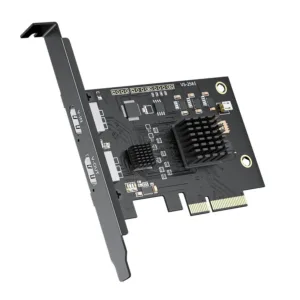
ACASIS 4K60Hz HDMI Input Video Capture Card 2K144Hz Game Capture Stream and Record in 4K60Hz with Ultra-Low Latency on PS5, PS4/ Pro, Xbox Series X/S
Original price was: ₹34,999.00.₹24,999.00Current price is: ₹24,999.00. Add to cartSale
New

Neha Gupta –
DisplayLink technology really makes multitasking easier. Great product.
Pooja Desai –
This DisplayLink adapter is perfect for designers who need multiple screens in MacBook
Saurabh Jain –
Perfect DisplayLink solution for trading setups with multiple screens.
Deepak Yadav –
Using this DisplayLink device daily — works smoothly every time.
Shreya Banerjee –
Simple and efficient DisplayLink adapter. Very easy to use.
Aman Khanna –
DisplayLink performance is top-notch. Great value for money.
Ananya Chatterjee –
DisplayLink setup is clean and hassle-free.
Ishita Kapoor –
DisplayLink works perfectly with my MacBook dual display setup.
Manish Bansal –
Very dependable DisplayLink device for professional use.
Rohit Sinha –
Excellent DisplayLink performance with multiple monitors.
Harsh Vardhan –
Very satisfied with this DisplayLink device. Works exactly as expected.
Karan Malhotra –
No heating issues. DisplayLink connection is stable and reliable.
Kavita Joshi –
DisplayLink output quality is crystal clear. Very impressed.
Mohit Agarwal –
Email:
Reliable DisplayLink performance with no connectivity issues.
Ritu Saxena –
DisplayLink made my work-from-home setup much better.
Meera Pillai –
Perfect DisplayLink device for video editing and multitasking.
Rajesh Kumar –
Stable DisplayLink connection with excellent speed.
Pankaj Tiwari –
No driver issues with this DisplayLink adapter. Works flawlessly.
Vivek Patel –
Great DisplayLink product for office and home setups.
Nisha Reddy –
Compact DisplayLink device that delivers powerful performance.
Rahul Kapoor –
Using this DisplayLink device for dual monitors and it works perfectly.
Arjun Nair –
Stable DisplayLink performance even during long work hours.
Priya Sharma –
Very powerful DisplayLink adapter. It made my workflow smoother and more efficient.
Rohan Mehta –
This DisplayLink device completely solved my MacBook M1 limitation. Dual 4K screens work flawlessly now.
Aditi Singh –
DisplayLink support on my MacBook works beautifully. Highly recommended.
Sneha Iyer –
DisplayLink setup was super easy. Plug and play worked instantly.